
Smart Restaurant Selection Using AI Technology
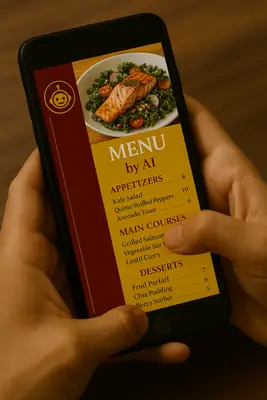
Finding healthy restaurant options shouldn’t require endless menu scrolling or complicated calculations. Modern technology makes it much easier to make a smart restaurant selection using AI, making meal selection more convenient and informed. These platforms analyze restaurant menus and location information to suggest options based on your specific criteria and dietary preferences.
Whether you’re following a fitness plan, managing dietary restrictions, or simply seeking healthier dining choices, AI tools can streamline the restaurant selection process and save valuable time. Personal trainers often suggest this approach as a practical way to maintain consistency with nutrition goals while dining out, though these tools complement rather than replace professional nutritional guidance from registered dietitians or certified nutrition professionals.
Understanding AI-Powered Restaurant Discovery
Artificial intelligence restaurant discovery tools work by processing databases of restaurant information, menu items, and location data. These systems analyze multiple options simultaneously, filtering results based on your specified criteria such as calorie counts, ingredient preferences, and proximity to your location.
These tools excel at identifying different food preparation methods, calculating approximate nutritional content, and recognizing various dietary accommodations available at restaurants. Unlike traditional restaurant apps that focus primarily on ratings and delivery options, AI tools can prioritize nutritional considerations and dietary requirements when suggesting dining options.
It’s important to understand that AI restaurant discovery tools are designed to help you find options that may meet your dietary goals, not to provide medical or professional nutritional advice. These tools serve as convenient research assistants, but any specific dietary requirements, medical conditions, or detailed nutritional planning should always be discussed with qualified healthcare professionals, registered dietitians, or certified nutritionists.
Complete Step-by-Step Guide to AI Restaurant Discovery
Based on extensive testing and comparison, these three AI tools offer the best combination of accuracy, ease of use, and nutritional understanding for restaurant discovery. Each has specific strengths that make them valuable for finding healthy dining options.
Claude AI: The Top Choice for Nutritional Analysis

Claude AI delivers the most sophisticated understanding of complex nutritional requirements and provides detailed, thoughtful responses with clear reasoning behind each recommendation.
Step 1: Creating Your Free Claude Account
- Website Access
- Open any web browser (Chrome, Safari, Edge, Firefox)
- Type “claude.ai” in the address bar and press Enter
- You’ll see a clean, minimalist homepage
- Registration Process
- Click the “Sign Up” or “Get Started” button (usually in the top right corner)
- Enter your email address in the provided field
- Create a strong password (8+ characters with numbers and symbols)
- Click “Continue” or “Sign Up”
- Check your email inbox for a verification message from Anthropic
- Click the verification link in the email to activate your account
- Initial Setup
- Return to claude.ai and log in with your credentials
- Complete any brief onboarding questions about intended use
- You’ll be taken to the main chat interface
Step 2: Understanding Claude’s Interface
- Chat Area: Large central area where conversations appear
- Message Box: Text input field at the bottom with a send arrow
- Sidebar: Left panel showing conversation history and new chat options
- Settings: Access through your profile icon (top right)
Step 3: Using Claude for Restaurant Discovery
- Copy This Basic Prompt Template:
I need help finding restaurants within 3 miles of [INSERT YOUR SPECIFIC LOCATION HERE] that offer dishes meeting these criteria: 300-400 calories per serving, approximately 60% complex carbohydrates from whole grains or vegetables, 20 grams of unsaturated fats from sources like nuts or olive oil, and 20 grams of lean protein. Please prioritize restaurants that use fresh, minimally processed ingredients. Include the restaurant name, specific dish suggestions, and general nutritional information. Please note this is for general guidance only and not professional nutritional advice.
- Adding Dietary Restrictions and Preferences: If you have specific dietary needs, add one or more of these phrases to your prompt:
For Food Allergies:
- “I have a severe peanut allergy and need peanut-free options”
- “I’m allergic to shellfish and need to avoid cross-contamination”
- “I have a tree nut allergy and need nut-free dishes”
- “I’m allergic to dairy and need dairy-free options”
For Dietary Preferences:
- “I follow a vegetarian diet and need plant-based protein options”
- “I’m vegan and need completely plant-based meals”
- “I follow a gluten-free diet due to celiac disease”
- “I’m looking for kosher-certified restaurant options”
- “I follow a halal diet and need halal-certified restaurants”
For Medical Dietary Needs:
- “I need low-sodium options due to blood pressure management”
- “I’m diabetic and need low-sugar, low-carb modifications”
- “I need heart-healthy options with minimal saturated fat”
Example Complete Prompt with Restrictions:
I need help finding restaurants within 3 miles of downtown Indianapolis that offer dishes meeting these criteria: 300-400 calories per serving, approximately 60% complex carbohydrates from whole grains or vegetables, 20 grams of unsaturated fats, and 20 grams of lean protein. I'm vegetarian and have a peanut allergy, so I need plant-based protein options that are completely peanut-free. Please prioritize restaurants that use fresh, minimally processed ingredients and can accommodate these dietary restrictions safely. Include restaurant names and specific dish suggestions. Please note this is for general guidance only and not professional nutritional advice.
- Customize Your Location
- Replace “[INSERT YOUR SPECIFIC LOCATION HERE]” with your exact location
- Examples: “123 Main Street, Carmel, IN” or “near Hamilton Town Center” or “downtown Indianapolis near Monument Circle”
- Submit Your Request
- Paste the customized prompt into the message box
- Click the send arrow or press Enter
- Wait 30-90 seconds for Claude’s comprehensive response
Step 4: Interpreting Claude’s Results
- Claude will provide restaurant names, menu suggestions, and general nutritional information
- Remember that AI suggestions are for guidance only and don’t replace professional nutritional consultation
- Follow up with questions like: “Can you provide more details about preparation methods at [restaurant name]?”
- Ask for alternatives: “What other options meet these same criteria?”
- Always verify information with restaurants directly, especially regarding allergens and dietary restrictions
Microsoft Copilot: Best for Real-Time Local Data

Copilot excels at finding current restaurant information and integrates location services for accurate, up-to-date results.
Step 1: Accessing Copilot (Multiple Options)
Option A: Web Browser Access
- Open your web browser
- Navigate to “copilot.microsoft.com”
- Click “Sign in” or “Get started”
- Use any Microsoft account (Outlook, Hotmail, Xbox) or create one free
Option B: Mobile App
- Open your phone’s app store (iOS App Store or Google Play)
- Search “Microsoft Copilot”
- Download the free official Microsoft Copilot app
- Open and sign in with Microsoft account
Option C: Bing Integration
- Download the Bing mobile app
- Copilot features are built-in
- Look for the Copilot icon or chat feature
Step 2: Creating a Free Microsoft Account (if needed)
- Go to “account.microsoft.com”
- Click “Create account”
- Choose “Get a new email address” or “Use your email instead”
- Follow the setup wizard
- Verify your email and you’re ready
Step 3: Using Copilot for Restaurant Search
- Copy This Copilot-Optimized Prompt Template:
Search for restaurants within 3 miles of [YOUR LOCATION] with menu items containing approximately 300-400 calories, complex carbohydrates from whole foods, unsaturated fats from sources like olive oil, and lean protein sources. Include current menu information and restaurant contact details. This is for general dining guidance only, not professional nutritional advice.
- Adding Your Dietary Restrictions: Customize the prompt by adding any of these dietary specifications:
For Allergies:
- “Must be peanut-allergy safe with no cross-contamination risk”
- “Need shellfish-free kitchen or dedicated preparation areas”
- “Require gluten-free certified options for celiac disease”
For Dietary Preferences:
- “Vegetarian-friendly with substantial plant-based protein options”
- “Fully vegan restaurants or extensive vegan menu sections”
- “Kosher-certified establishments only”
- “Halal restaurants with proper certification”
Example with Dietary Restrictions:
Search for restaurants within 3 miles of [YOUR LOCATION] with vegetarian menu items containing approximately 300-400 calories, complex carbohydrates from whole foods, unsaturated fats, and plant-based protein sources. I have a tree nut allergy, so restaurants must be able to safely accommodate nut-free preparation. Include current menu information and restaurant contact details. This is for general dining guidance only.
- Location Customization
- Replace “[YOUR LOCATION]” with your specific address or landmark
- Copilot works especially well with specific addresses and business names
- Submit and Review
- Paste the prompt and send
- Copilot will provide current restaurant data with location integration
- Results often include phone numbers, websites, and hours
ChatGPT: Most Versatile Option

ChatGPT offers excellent versatility and explanatory capabilities, making it ideal for understanding the reasoning behind nutritional recommendations.
Step 1: Creating Your Free ChatGPT Account
- Website Access
- Open your web browser
- Navigate to “chat.openai.com”
- The page will show the ChatGPT interface
- Account Registration
- Click “Sign up” (usually prominent on the page)
- Enter your email address
- Create a secure password
- Verify your email through the confirmation message
- Complete any additional verification (may include phone number)
- First Login
- Return to chat.openai.com
- Log in with your credentials
- Accept terms of service
- You’ll see the main chat interface
Step 2: Understanding ChatGPT’s Interface
- Chat Window: Central area showing conversation
- Input Box: Bottom text field for typing messages
- Regenerate: Option to get alternative responses
- History: Left sidebar with previous conversations
Step 3: Using ChatGPT for Restaurant Discovery
- Copy This ChatGPT Prompt Template:
I'm looking for restaurants near [YOUR LOCATION] within 3 miles that serve dishes with approximately: 300-400 calories, complex carbohydrates from whole grains and vegetables, unsaturated fats from healthy sources, and lean protein. Please provide restaurant names, specific menu suggestions, and general preparation information. This request is for dining guidance only and not professional nutritional consultation.
- Customizing for Dietary Needs: Add specific dietary requirements by including phrases like:
For Food Allergies:
- “I have a severe dairy allergy and need completely dairy-free options”
- “Peanut allergy requiring strict allergen protocols”
- “Gluten-free needs due to celiac disease sensitivity”
For Lifestyle Choices:
- “Following a vegan lifestyle, need plant-based proteins only”
- “Vegetarian diet, okay with dairy and eggs”
- “Pescatarian diet, fish okay but no meat or poultry”
- “Following kosher dietary laws”
For Health Considerations:
- “Managing diabetes, need low-glycemic options”
- “Heart-healthy diet, minimal saturated fats”
- “Kidney-friendly, low-sodium requirements”
Complete Example:
I'm looking for restaurants near [YOUR LOCATION] within 3 miles that serve vegan dishes with approximately: 300-400 calories, complex carbohydrates from whole grains and vegetables, unsaturated fats from healthy sources like avocado, and plant-based protein. I also have a soy allergy, so dishes must be soy-free. Please provide restaurant names, specific menu suggestions, and note any special preparation considerations. This request is for dining guidance only and not professional nutritional consultation.
- Personalize the Search
- Replace “[YOUR LOCATION]” with your specific location
- Add any dietary restrictions: “I’m also gluten-free” or “I prefer vegetarian options”
- Submit and Engage
- Send the customized prompt
- ChatGPT will provide suggestions and general information about dining options
- Ask follow-up questions for clarification or alternatives
- Remember that AI suggestions are informational tools, not professional dietary advice
Universal Tips for All Three Platforms
Maximizing Your Results:
- Be Specific with Location
- Use exact addresses when possible
- Include nearby landmarks or business names
- Specify your city and state clearly
- Add Context for Better Results
- Mention meal timing: “for lunch today” or “dinner tomorrow”
- Include group size: “for two people” or “family-friendly”
- Add atmosphere preferences: “casual dining” or “quick service”
- Important Safety Reminders
- Always verify allergen information directly with restaurants
- Inform restaurant staff about severe allergies or dietary restrictions
- Ask about preparation methods and cross-contamination protocols
- These AI tools provide general guidance, not medical or professional nutritional advice
Verifying AI Recommendations:
- Always check restaurant websites for current menus
- Call restaurants to confirm dish availability and preparation methods
- Verify allergen protocols and dietary accommodation capabilities
- Consult with registered dietitians or healthcare providers for specific medical dietary needs
- Use multiple AI tools to compare suggestions, but rely on professional guidance for health-related nutrition planning
Free Tier Limitations to Expect:
- Claude: 40-50 messages per day, resets every 24 hours
- Copilot: Generous daily limits, may slow during peak times
- ChatGPT: Limited daily messages, may queue during busy periods
The key to success is starting with detailed, specific prompts and using follow-up questions to refine results. Each platform has unique strengths: Claude for sophisticated nutritional analysis, Copilot for current local data, and ChatGPT for versatile explanations and reasoning.
Crafting Effective AI Prompts for Restaurant Discovery
Basic Prompt Structure for Nutritional Requirements
Effective AI prompts for restaurant discovery require specific, measurable criteria rather than general health requests. Structure your prompt with location parameters, calorie ranges, macronutrient specifications, and food quality preferences.
Example prompt structure: “Find restaurants within 3 miles of [your location] offering dishes with 300-400 calories, approximately 60% complex carbohydrates from whole grains or vegetables, 20 grams of unsaturated fats from sources like nuts or olive oil, and 20 grams of lean protein. Exclude highly processed foods and emphasize fresh, minimally processed ingredients.”
This detailed approach enables AI systems to filter options effectively and provide relevant recommendations. Include specific numbers rather than subjective terms like “healthy” or “light” to ensure consistent results.
Advanced Prompt Customization Strategies
Enhance prompt effectiveness by including preparation method preferences, cuisine restrictions, and timing considerations. Specify whether you prefer grilled, steamed, or baked preparations over fried options. Include any dietary restrictions such as gluten-free, dairy-free, or specific allergen avoidance.
Add context about your dining situation: “I need a quick lunch option I can order ahead” or “Looking for a dinner option for a business meeting.” This context helps AI tools prioritize restaurants with appropriate atmospheres and service styles.
Consider including backup criteria: “If no restaurants meet these exact specifications, suggest the closest alternatives and explain the nutritional differences.” This approach ensures you receive actionable recommendations even when perfect matches aren’t available.
Location-Specific Optimization Techniques
Maximize location accuracy by using specific addresses, landmark names, or intersection references rather than general area descriptions. Many AI tools can work with “near [business name]” or “within walking distance of [specific location]” for more precise results.
Include transportation preferences in your prompt: “Accessible by walking,” “Has parking available,” or “On public transit route.” These details help AI systems consider practical accessibility alongside nutritional criteria.
For travel situations, specify your temporary location clearly: “Currently visiting [city name], staying near [hotel/landmark], need recommendations for tonight’s dinner.” This context helps AI tools access local database information and provide relevant suggestions.
Interpreting and Evaluating AI Restaurant Recommendations
Analyzing Nutritional Information Accuracy
AI recommendations require verification through restaurant websites, nutrition calculators, or direct communication with restaurant staff. While AI tools access extensive databases, menu items and preparation methods can change frequently. Cross-reference recommended dishes with official restaurant nutrition information when available.
Pay attention to portion size assumptions in AI recommendations. Restaurant portions often exceed standard serving sizes, potentially doubling or tripling suggested calorie and macronutrient values. Ask restaurants about actual portion sizes or request half-portions when appropriate.
Consider seasonal menu variations that might affect nutritional content. AI databases may not reflect current seasonal ingredients or preparation method changes. This consideration becomes particularly important for restaurants emphasizing fresh, local ingredients.
Evaluating Restaurant Quality and Reliability
Combine AI nutritional recommendations with quality indicators such as recent reviews, health inspection scores, and ingredient sourcing practices. High-quality ingredients typically provide better nutritional value and fewer additives compared to lower-quality alternatives.
Research restaurants’ preparation methods and ingredient sourcing when possible. Establishments emphasizing fresh, local ingredients often provide more accurate nutritional profiles and better overall food quality. Personal trainers frequently recommend supporting restaurants that prioritize ingredient transparency and preparation method disclosure.
Look for restaurants willing to accommodate modifications such as dressing on the side, grilled instead of fried proteins, or vegetable substitutions for refined starches. Flexibility in preparation often indicates kitchen capability and commitment to customer health goals.
Maximizing AI Tool Effectiveness for Ongoing Nutrition Success
Creating Personalized Prompt Templates
Develop standardized prompt templates for different dining situations to streamline the restaurant selection process. Create separate templates for quick lunch options, dinner meetings, family dining, and special occasions. This approach ensures consistency in nutritional criteria while adapting to various social and time constraints.
Store successful prompts and their results for future reference. Many AI platforms allow conversation history saving, enabling you to build a personal database of effective restaurant recommendations and prompt variations.
Regularly update your prompt templates based on changing fitness goals, dietary preferences, or health requirements. Working with a personal trainer can help refine these templates to align with evolving nutrition strategies and performance objectives.
Integrating AI Recommendations with Fitness Goals
Coordinate AI restaurant recommendations with your training schedule and fitness objectives. Adjust macronutrient ratios based on workout timing, intensity, and recovery needs. Pre-workout meals might emphasize easily digestible carbohydrates, while post-workout options could prioritize protein for muscle recovery.
Consider meal timing about your training schedule. AI tools can help identify restaurants with appropriate opening hours and quick service options that align with your workout routine. This integration proves particularly valuable for maintaining consistent nutrition despite busy schedules.
Track the effectiveness of AI-recommended restaurant choices through fitness progress, energy levels, and overall well-being. This feedback loop helps refine future prompts and builds confidence in AI-assisted dining decisions.
The integration of artificial intelligence into restaurant selection represents a practical advancement in dining convenience and food discovery. These tools serve as helpful research assistants that can save time and provide starting points for healthier dining choices, though they complement rather than replace professional nutritional guidance.
Success with AI restaurant discovery requires specific, detailed prompts and verification of recommendations through direct communication with restaurants. The combination of clear criteria, location parameters, and dietary consideration details enables these tools to provide useful dining suggestions that align with your preferences and restrictions.
As AI technology continues advancing, expect even more sophisticated restaurant recommendation capabilities, including real-time menu updates and improved dietary accommodation information. Embracing these tools now can help streamline your dining decisions while maintaining important safety practices like verifying allergen protocols and consulting healthcare professionals for medical dietary needs. Remember that these AI assistants are valuable research tools, but professional nutritional advice from registered dietitians remains essential for comprehensive dietary planning and health-related nutrition guidance.